How an AI image editor helps e-commerce sellers prepare better product visuals?
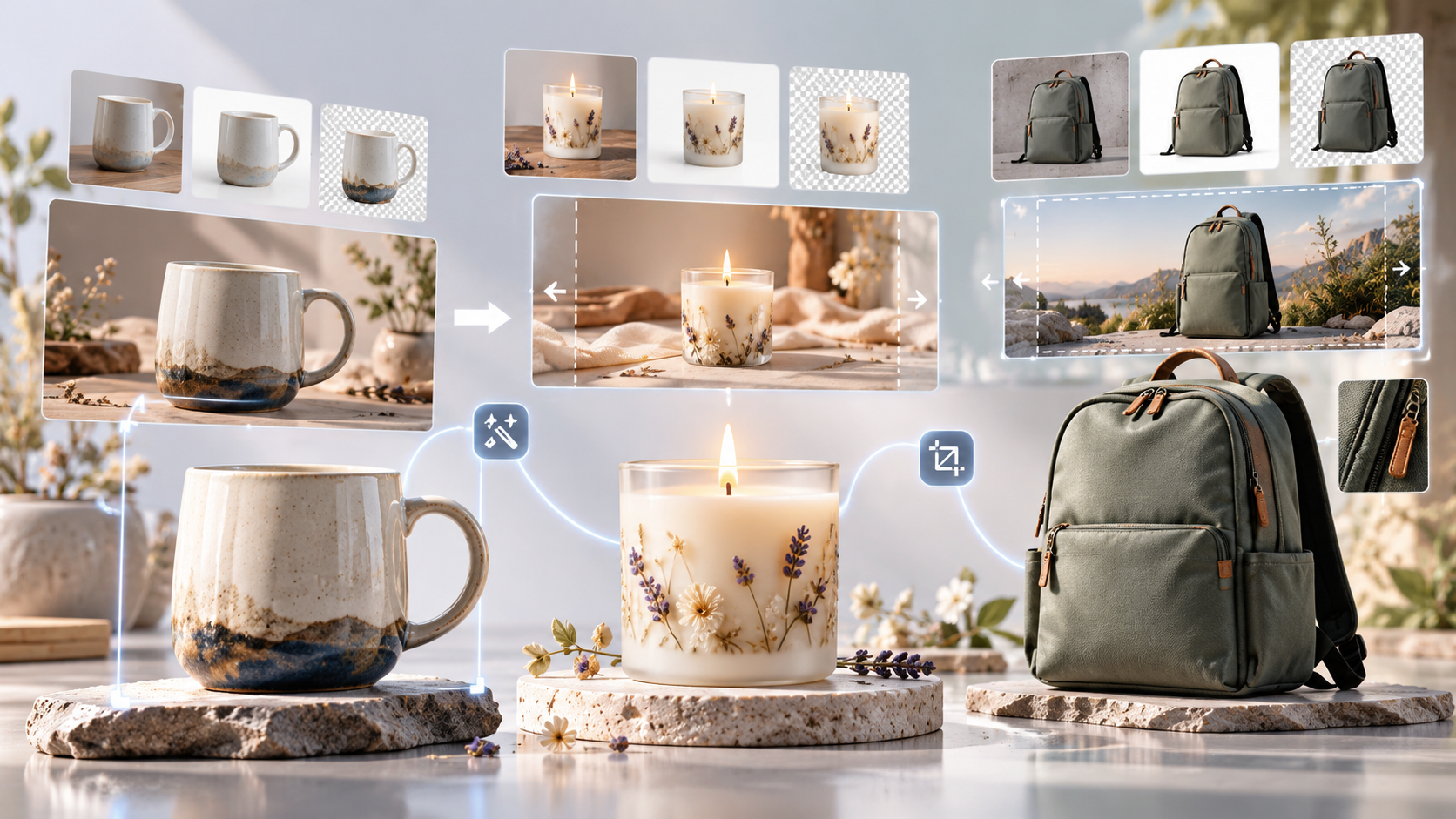
For small online sellers, product photography can turn into a surprisingly time-consuming job. A supplier photo may arrive with a gray warehouse background when you need a clean white listing image. A phone shot of a handmade candle might look fine in person but too dark for an Etsy-style product page. A good photo of a backpack may be square, while your Shopify homepage needs a wide promotional banner.
Most of these problems do not require a full desktop editing setup. Often, the quickest route is to start with the photo you already have and describe what needs to change.
Start with the original photo
Keeping a good source image and making changes gradually tends to work better than trying to fix everything in one prompt. Suppose you sell ceramic mugs. You could first replace a cluttered kitchen background with a simple studio setting, then soften the shadows, and finally create a second version with more space around the mug for promotional text.
Pixlio AI image editor is designed around this kind of workflow. You upload an existing image, describe the edit in ordinary language, choose an available model, and review the result. If it is close but not quite right, you can use that result as the reference for another edit instead of starting over.
This is useful when preparing several versions of the same SKU. A shoe seller, for example, might keep the product itself unchanged while creating one clean catalog image, one lifestyle-style image for social media, and one wider version for a seasonal sale banner.
Move naturally into the next task
Image editing rarely ends with a single change. A marketplace seller may need a transparent-background image for a product grid, a higher-resolution version for zoom views, and a wider crop for an email campaign.
Pixlio lets generated results move directly into related workflows such as background removal, upscaling, outpainting, and image-to-video creation. You do not have to keep downloading a file, opening another service, and uploading the same product shot again.
For people who regularly edit images with AI, that continuity can save time across an entire catalog. Consider a seller launching a new skincare product: remove the original tabletop background, extend the image horizontally for a homepage hero, upscale the final version for sharper product details, then reuse the same image as the starting point for a short promotional video.
More than a general-purpose editor
Pixlio also works as an AI image creative studio, with tools built around specific visual jobs rather than one large editor trying to cover everything.
The Professional Headshot tool, for example, can help an independent seller create a cleaner profile photo for an About page, marketplace storefront, or seller account. A craft business could use the Cross Stitch Pattern Maker to explore whether an illustration would translate well into a stitchable product design. The Caricature Maker offers another route for personalized merchandise ideas, such as novelty prints, custom gifts, or promotional graphics.
You will not need every tool for every project. The advantage is having focused workflows available when a particular product or campaign needs them.
A few habits improve the results
Use the clearest source image you have. Keep instructions specific, and make one or two related changes at a time. After each generation, check details that buyers rely on: logos, packaging text, fabric patterns, hardware, colors, dimensions, and product shape.
This matters especially in e-commerce. A polished image is not useful if the AI changes a six-button shirt into a five-button one, modifies the print on a phone case, or makes a handbag look larger than it really is.
Keep the original file as well. If several rounds of editing begin to drift away from the real product, going back to the source is usually better than trying to repair an already heavily modified version.
For online sellers, the best use of AI editing is practical: turning existing product photos into listing images, banners, social creatives, profile visuals, and campaign assets without treating every variation as a separate design project. Pixlio fits that workflow by keeping general editing and more focused creative tools within the same broader platform.